 01
01
Project screen 01
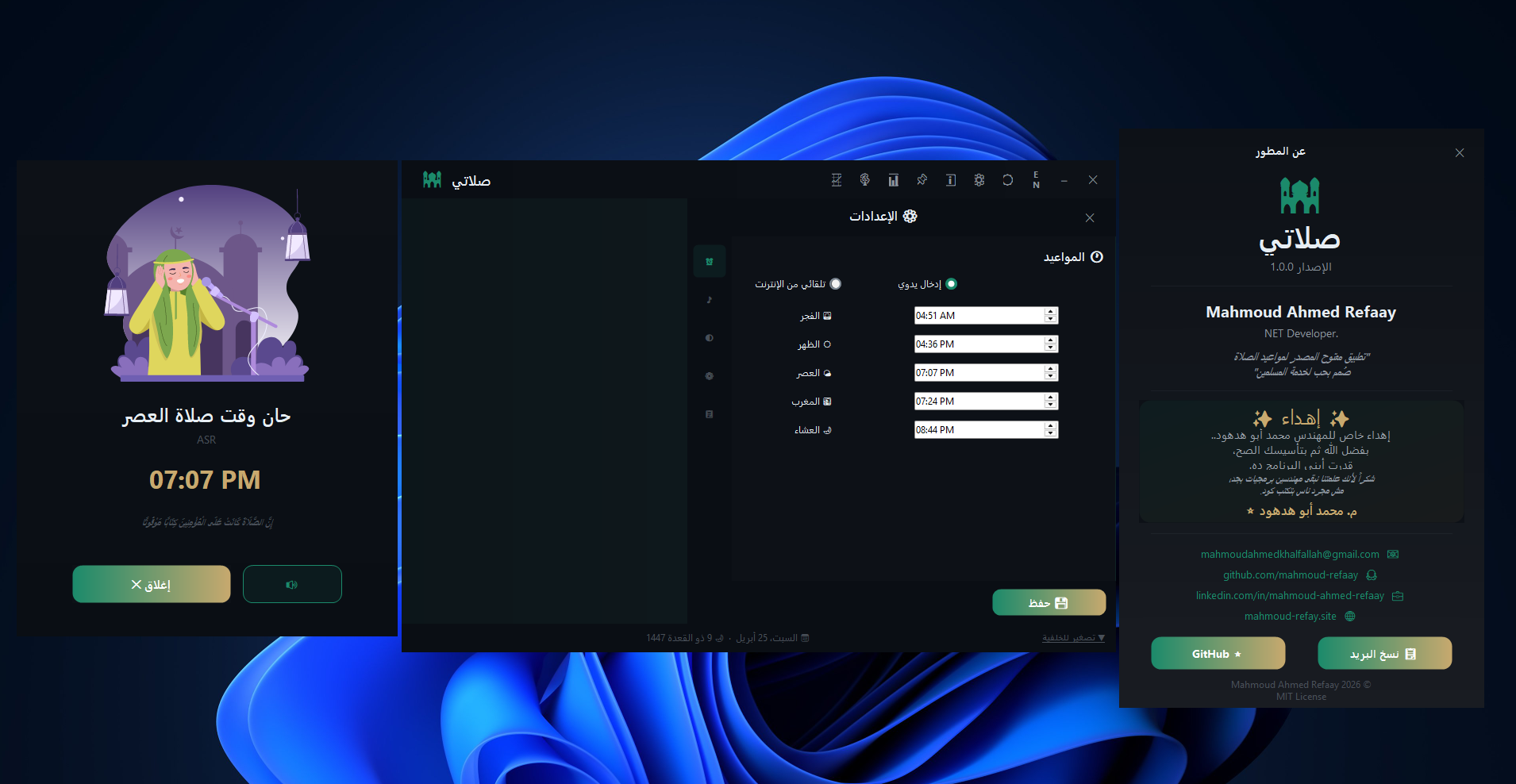
A published interface capture from Salati.
Open the full-resolution image for closer inspection.
Open full imageA mobile project entry prepared for app screenshots, store links, feature notes, and release information.
Published project record.The source is available for public review. Every detail on this page comes from the published project record.
TypeMobile
Application typeDesktop application
Technology stack3 documented tools
02 / ENGINEERING CASE STUDY
Move through the project lenses to inspect its scope, engineering decisions, challenges, results, and implementation stack.
Product scope
The core capabilities delivered inside this project.
Clean app presentation
Mobile-focused layout
Expandable details page
$ project://salati/features
Project record
Project measurements recorded with the published case study.
Type — Mobile
$ project://salati/stats
Case study
Mobile projects need more than one screenshot. A client should understand the app direction, current release, and what can be extended later.
$ project://salati/problem
Case study
I prepared the project page to support app screenshots, version notes, release media, and future links such as store pages or demo videos.
$ project://salati/solution
Ownership
Structured the project presentation and prepared the page for expandable release details and mobile-focused media.
$ project://salati/role
Engineering
The constraints and technical boundaries handled during delivery.
Presenting a mobile idea clearly from limited media
Keeping the page ready for future app releases
Making release details useful for a non-technical visitor
$ project://salati/challenges
Outcome
The outcomes documented after the project was delivered.
A cleaner mobile project story for clients
Room for screenshots
video links
and release notes
A stronger foundation for future app portfolio entries
$ project://salati/results
Architecture
The tools and platforms used to build and deliver this project.
Mobile UI
App Design
JavaScript
$ project://salati/stack
04 / INTERFACE GALLERY
Every published project and release screenshot is included below.
01
A published interface capture from Salati.
Open the full-resolution image for closer inspection.
Open full image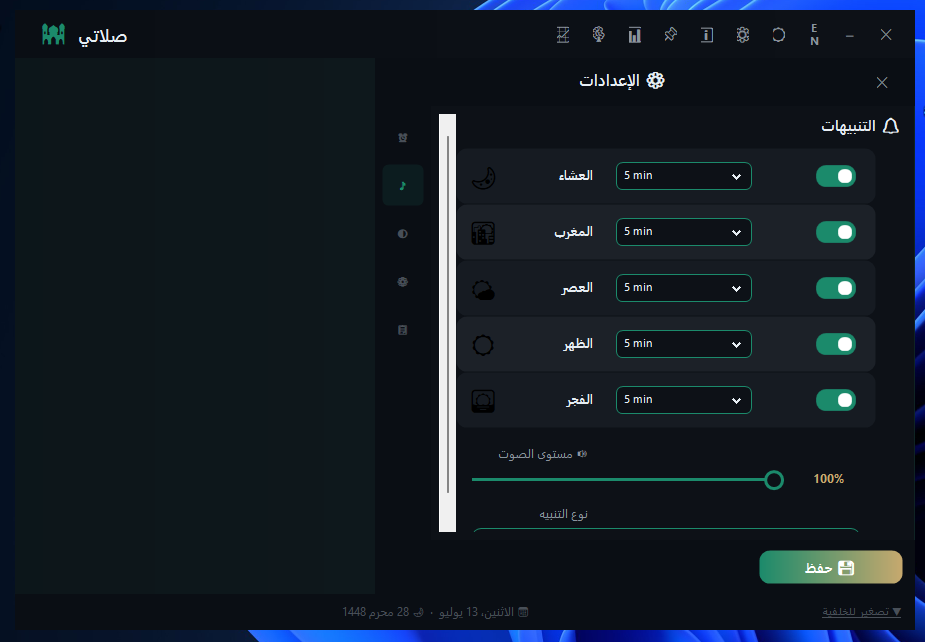 02
02
A published interface capture from Salati.
Open the full-resolution image for closer inspection.
Open full image
03
A published interface capture from Salati.
Open the full-resolution image for closer inspection.
Open full image05 / VERSION HISTORY
Review the published release summaries, changes, media, and version-specific links.
v1.0 · CurrentMobile Concept Release · Mar 06, 2026
A mobile-oriented release prepared for app screenshots, store links, and future feature notes.
Published screenshots: 1
06 / CONTINUE EXPLORING
Continue through the selected work or return to the complete project index.